
Overall rating:
3.9/5
Average
Citrix
Free trial: 7 days
Ease of use
Average 4.1
Customer Support
Average 3.9
Ease of setup
Average 4.2
Global rankings
Citrix virtual data room software:
the complete guide
Citrix ShareFile is a user-friendly virtual data room trusted by thousands of small businesses and private equity structures to manage complex deals.
Security and efficiency make ShareFile the favored choice among business owners and potential buyers striving for successful business deals.
Citrix ShareFile users enjoy high mobility, offline access, mobile editing, and large file sharing, all to ensure confidential deals..
Software screenshots
Citrix ShareFile data room features
Security
User and data management
Customization
Security features
The vendor adds a layer of data security to ensure a seamless workflow for all ShareFile VDR stakeholders. The proactive approach incorporates world-class security measures, including authorized access and the protection of sensitive data.
| Security features | Description |
| General security |
|
| Secure data practices |
|
| Secure protection |
|
| Granular sharing permissions and security alerts |
|
| Authentification |
|
| Email & file encryption |
|
Pricing
Citrix virtual data room allows client-oriented pricing with four comprehensive packages for individual business needs.
The pricing information is transparent and available on the corporate site. No fees are hidden, and users should not contact administrators. There’s an annual flat rate discount of 10% for all clients. The platform is not designed for unlimited client users.
| Pricing package | Description |
| Advanced |
|
| Premium |
|
| Industry Advantage |
|
| Virtual Data Room |
|
Top 3 data rooms software

Overall rating:
4.9/5
Excellent

Overall rating:
4.8/5
Excellent

Overall rating:
4.7/5
Excellent
Unique features
Citrix ShareFile stands out from the competition owing to its ease of use and convenience:
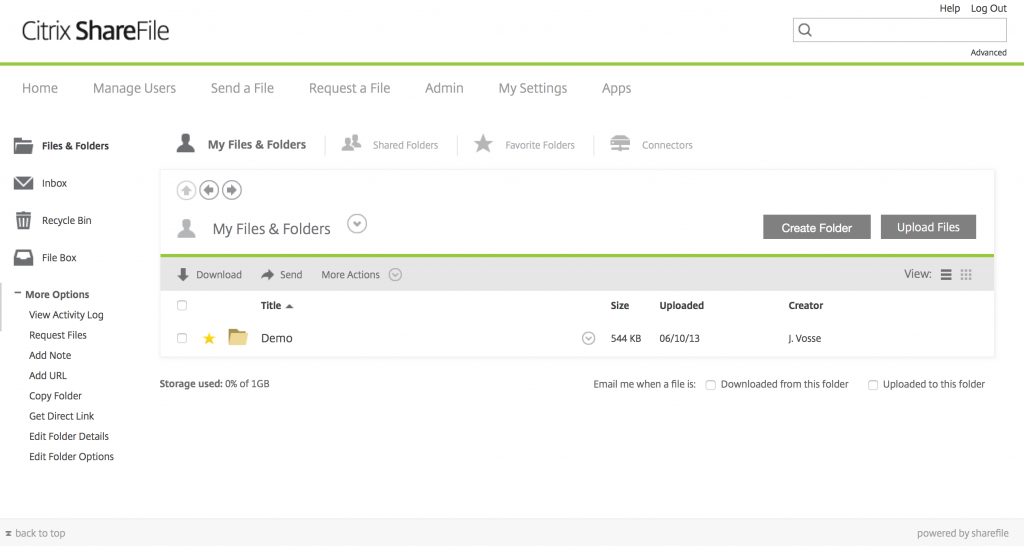
The dataroom vendor enables file access and sharing in a few clicks. A convenient email plugin allows sending large files.
StorageZone Connectors are available on the ShareFile mobile app to empower mobile users with a secure connection to CIFS network shares and document libraries.
Office 365 integration automates approvals, feedback, and all document-related processes. Users control customized workflows from their ShareFile account.
Citrix clients can upload and download documents to the branded platforms in line with white labeling business practices.
ShareFile + RightSignature enables users to create e-signatures and sign documents on the go, regardless of the client’s location.
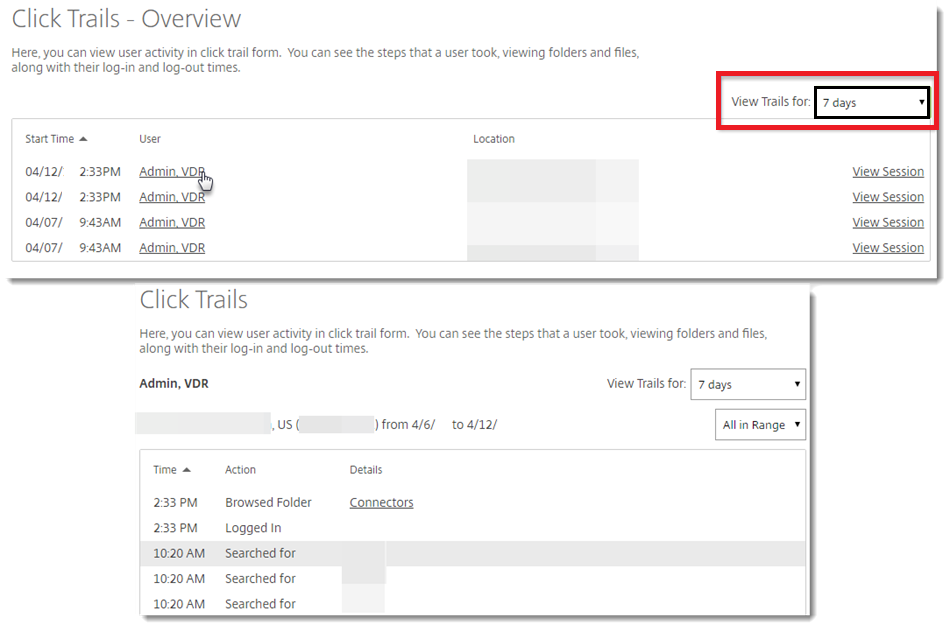
The Analytics section provides user activity stats and features the most and longest viewed documents and recent searches.
The Reporting section contains individual access permissions, user data transfers, audit trails, and expanded messaging options.
Important note: Citrix ShareFile delivers 5 GB of storage.
Customer support
Citrix virtual data room provides first-hand customer support to keep the work flowing. At the core of the virtual data room are secure sharing and seamless collaboration
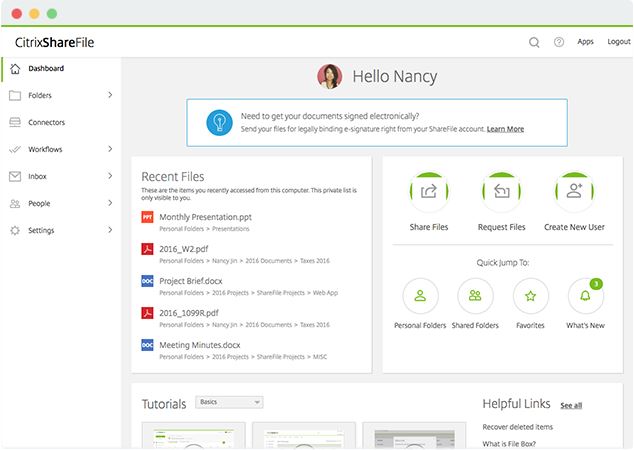
The intuitive client portal centralizes customer workflow in a unified data environment, ensuring a smooth client experience. Even non-tech-savvy users can start working at their own pace.
The platform is designed for utmost efficiency by automating and simplifying routines and workflows.
Citrix ShareFile digital workspace solutions are industry-oriented to customized business needs and strategic purposes. The virtual deal room perfectly connects with trending workplace tools.
The dedicated client-oriented portal simplifies the onboarding of new clients.
Document management
Citrix ShareFile provides secure data management and due diligence solutions to maintain client workflow.
- A single document workflow to automate routine tasks
- Secure document sharing & collaboration
- Data and compliance for security-focused industries
- Fast & easy e-signatures
- Granular access management to shared documents
- Strict privacy protocols
- Sensitive data protection function
Beyond ease of use, enhanced security, and encryption, Citrix ShareFile provides 100% customer-centered solutions. Some customers, however, point out the downsides while deploying the platform:
Pros and cons
Beyond ease of use, enhanced security, and encryption, Citrix ShareFile provides 100% customer-centered solutions. Some customers, however, point out the downsides while deploying the platform:
- Mobile app for iPhone, iPad, and Android
- Office 365 integration
- E-signatures
- Advanced analytics and reporting
- Client-oriented pricing
- Generous storage
- Additional employee users cost extra
- Complex permission settings
- Poor synchronization with other devices.
Comparison of the top 3 data rooms
|  |  | |
| Details | Check price | Learn more | Learn more |
| General business | |||
| Top use cases | M&A, Finance, Life sciences and healthcare, Energy, Real estate, Tech | M&A, Finance, Legal | M&A, IPO, Capital raising, Healthcare, Real estate |
| What users appreciate | Excellent support, easy-to-use, encryption and security features | Encryption, data analysis tool, support | Reliable support, comfortable platform |
| Features | |||
| Fence view | |||
| Granular access permissions | 8 levels | 4 levels | 5 levels |
| Dynamic watermarking | |||
| Built-in redaction | |||
| Two-factor authentication | |||
| Advanced Q&A | |||
| Automatic reports subscription | |||
| Detailed audit trail | |||
| Auto-notifications about new activity | |||
| Custom branding | |||
| Support | |||
| Live chat | |||
| Email support | |||
| Phone support | |||
FAQs
Is ShareFile the same as Citrix?
Citrix Systems developed Citrix ShareFile to offer cloud-based storage.
Is ShareFile more secure than Dropbox?
Dropbox provides high data security with end-to-end encryption. ShareFile retains access to encrypted keys.