
Overall rating:
3.7/5
Average
FirmRoom
Free trial: 14 days
Ease of use
Average 4.1
Customer Support
Average 3.9
Ease of setup
Average 4.2
Global rankings
FirmRoom virtual data room software: the complete guide
FirmRoom, developed by DealRoom, is a virtual data room platform for secure and easy document management. It provides a safe space for sharing confidential files with controlled access and detailed data analytics. Ideal for M&A professionals and others handling sensitive information, the solution helps users confidently carry out due diligence, providing data security and supporting smooth and effective collaboration.
Software screenshots
FirmRoom features
Security
User and data management
Customization
Security features
FirmRoom offers reliable security features for confidential data protection throughout the deal process. While it doesn’t include certain advanced capabilities like fence view or IP access restrictions, it still delivers bank-grade protection.
FirmRoom strikes the right balance for many teams, providing essential security tools without unnecessary complexity.
FirmRoom data room security features include the following:
- Third-party examination reports. FirmRoom undergoes independent audits and provides SOC 1, SOC 2 Type 2, and SOC 3 reports to verify security practices.
- 256-bit data encryption. All data, in transit or at rest, is encrypted using 256-bit AES, an encryption standard approved for top-secret U.S. government documents.
- Secure connections (TLS). Every connection is secured using TLS with 256-bit symmetric encryption and a 2048-bit authenticated key agreement, protecting all data transfers.
- Encrypted password protection. User passwords are masked and encrypted using Bcrypt to ensure they remain secure and unreadable even if accessed.
- Protected data centers. FirmRoom stores data in ISO 27001-certified data centers featuring 24/7 security, biometric scans, keycard access, and continuous surveillance.
- Offsite backup and disaster recovery. All information is backed up across multiple data centers in the U.S. and EU to prevent data loss in case of natural disasters, hardware failures, or cyberattacks.
- Amazon Web Services (AWS) infrastructure. FirmRoom is built on AWS, which provides encryption, firewalls, and network segmentation.
- Secure data center locations. Data is geographically distributed across the U.S. and EU for enhanced redundancy and compliance with data residency regulations.
- Multi-factor authentication (MFA). Users can enable SMS-based or app-based MFA to add an extra layer of protection during login.
- Granular access control. Admins can restrict system access at the user or document level to ensure that only designated individuals can view sensitive information.
- Audit logs. FirmRoom records detailed logs of all user activity, including user identity, date, time, and actions performed, enabling full auditability.
Pricing
FirmRoom takes a transparent and flexible approach to pricing, making it easy for teams to plan their budgets. The provider offers flat-rate pricing with no hidden fees.
Whether you prefer annual or quarterly billing, you can choose the option that suits your needs. Plus, with a 14-day free trial, you can explore all of FirmRoom’s features before committing to a plan.
The plans include the following:
| Plan | Best for | Price | Features |
| Basic | Secure data management | $495/month |
|
| Pro | Collaboration and deal process optimization | $995/month |
|
| Enterprise | Enterprise and custom needs | Custom pricing |
|
Top 3 data rooms software

Overall rating:
4.9/5
Excellent

Overall rating:
4.8/5
Excellent

Overall rating:
4.7/5
Excellent
Unique features
The following are a few standout tools that make working in FirmRoom smoother and more effective for deal teams:
- Truncated titles for seamless downloads. FirmRoom data room automatically truncates long file and folder names during ZIP downloads, which is especially helpful for Windows users who often encounter errors due to path length limitations. This feature prevents download failures and ensures files remain accessible. Files marked with a ~ indicate they have been shortened without losing their structure.
- Single-document redaction within the viewer. FirmRoom’s built-in document viewer allows users to redact sensitive text within the platform with no need for external tools. Specifically, you can search for specific terms, see a redaction preview, and apply changes instantly. The redacted version is saved as a new PDF, while the original remains securely accessible to admins.
- Smart downloading with real-time progress. FirmRoom’s updated downloading system offers flexible options: download files individually or in bulk, retain folder structures, add index labels, and get email notifications when your download is ready. Best of all, the download process continues in the background while you work in other tabs. Additionally, a live progress box keeps you informed of status or errors.
Customer support
FirmRoom offers reliable, around-the-clock support to ensure users get the help they need. Whether you are troubleshooting a technical issue or need guidance during a critical phase of your deal, their customer support is built for speed, clarity, and personalized care.
Support options include the following:
- 24/7 chat support. Instant assistance is available anytime through live chat, so FirmRoom data room users are never left waiting during a time-sensitive moment.
- Priority email support. You can get fast, expert responses to your email inquiries with prioritized attention from the support team.
- Dedicated support team. A knowledgeable team is on hand to assist with onboarding, training, and ongoing platform questions.
- Dedicated account manager. This is personalized guidance from a single point of contact who understands your needs and ensures smooth platform usage throughout your engagement.
Document management
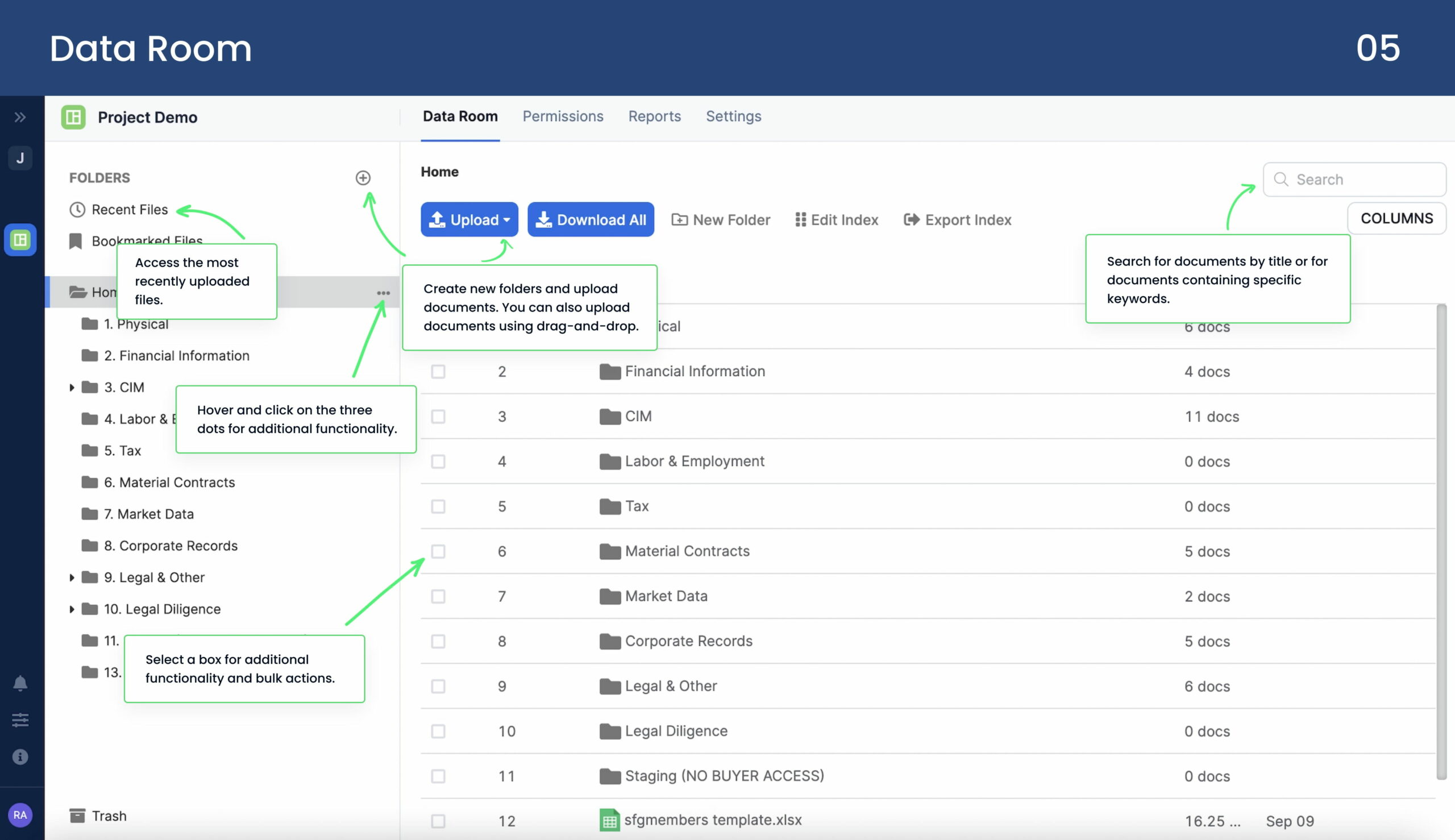
FirmRoom offers a centralized space to create and manage your documents easily. In particular, you can upload thousands of files in bulk or quickly locate a specific document using powerful search and organization tools.
The following are the key FirmRoom data management features:
- Intuitive, 24/7 document access. The platform offers a user-friendly interface with round-the-clock accessibility from desktop, tablet, or mobile devices.
- Complete document lifecycle control. Users can manage files from the moment they are uploaded, including setting permissions, performing full-text searches, and enabling in-platform communication.
- Auto-indexing. Documents are automatically indexed upon upload, simplifying structure creation and eliminating the need for manual numbering or organization.
- Advanced document permissions. Granular access settings allow for view-only, download, or download with watermark options, providing flexible control over document visibility.
- Upload and confirm. Files are uploaded in seconds, with options to preview and confirm permissions before they become accessible to others.
- Smart analytics. Built-in analytics provide insight into who viewed, downloaded, or uploaded documents and support audit processes and user tracking.
- Custom organization tools. Content can be organized using custom metadata, allowing easy classification and improved navigation.
- Unlimited storage and cross-device access. The platform supports unlimited data storage and can be accessed securely from any device without page limitations.
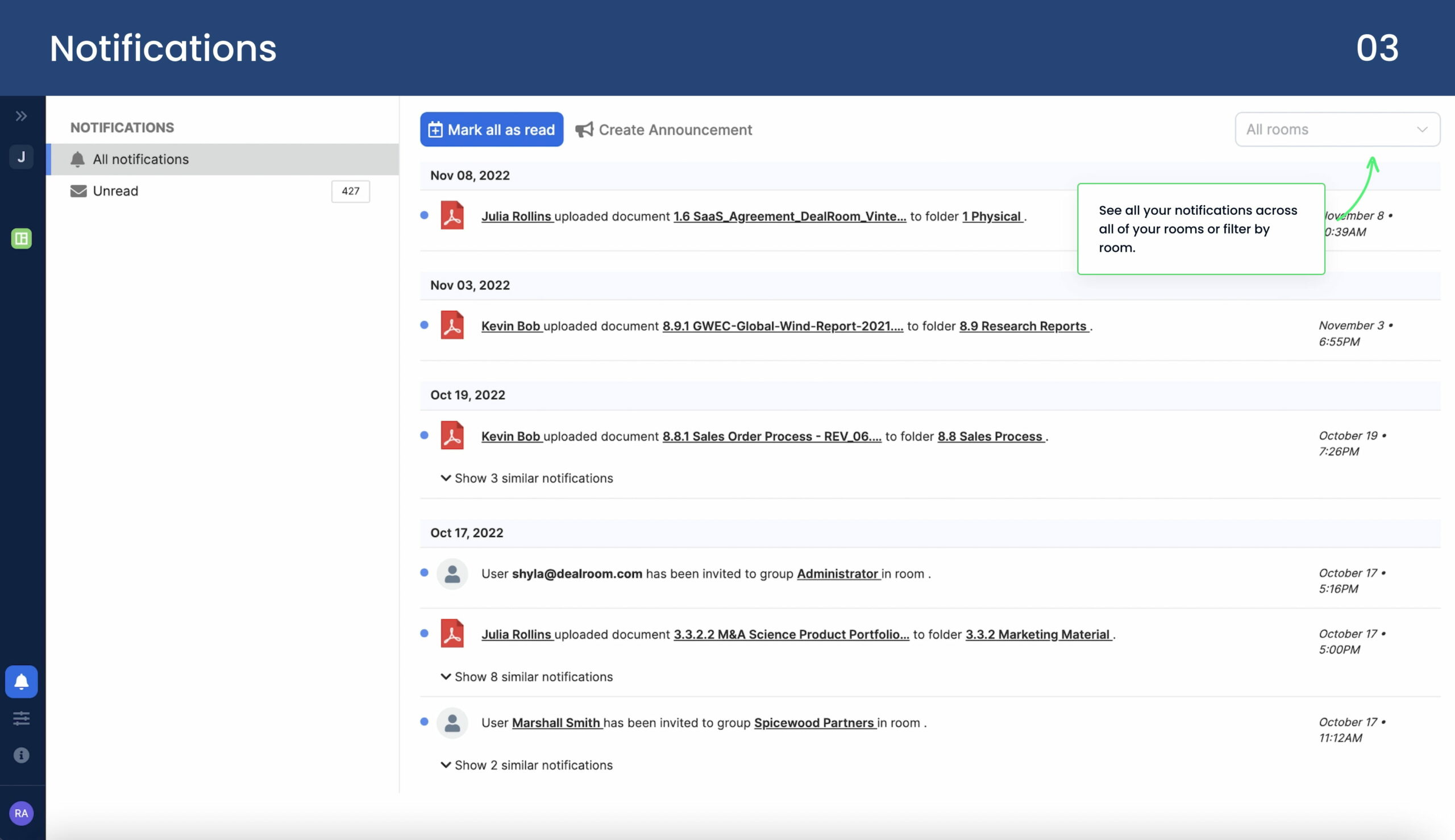
- Team notifications. Team members are automatically notified when new documents are uploaded or shared, ensuring consistent communication across projects.
Pros and cons
We have analyzed user feedback from trusted software review platforms to provide a well-rounded view of FirmRoom’s performance. According to Capterra, the provider holds an average rating of 4.6 out of 5, based on 44 reviews. On G2, it also scores 4.6 out of 5, based on 21 reviews.
Here are the key pros and cons that users commonly highlight:
- Excellent customer support
- Ease of use
- Good analytics capabilities
- Affordable
- Easy to set up
- Overwhelming data room index
- The search tool isn’t helpful with lots of data
Clientele and case studies
Let’s now explore how FirmRoom data room helps clients simplify and protect everyday workflows and complex deals.
1. Unbelievable value for a fair price
Client: Attorney specializing in M&A transactions
Industry: M&A transactions
Challenge
The client needed a secure, easy-to-use virtual data room to facilitate document sharing and due diligence for an ongoing M&A deal.
Solution
The client selected FirmRoom due to its intuitive interface and competitive pricing. The platform allowed for quick setup, making it easier to collaborate securely with all parties involved.
2. FirmRoom is intuitive and easy to use
Client: Managing Partner
Industry: Business advisory
Challenge
The client needed a data room solution for smaller-sized companies, requiring a platform that was easy to use and affordable without compromising security or functionality.
Solution
The team selected FirmRoom for its intuitive design and flexible pricing plans. Ease of use made implementing the platform for clients easier while providing the necessary features for document management and secure collaboration.
3. The easiest to use of all the data rooms
Client: Investment banking analyst
Industry: Investment banking
Challenge
The client needed a data room that combined ease of use with robust functionality to manage sensitive data for investment banking projects.
Solution
FirmRoom was chosen for its intuitive interface, providing the perfect balance of functionality and usability. The platform was easy to navigate for the client and their stakeholders to navigate. Additionally, it offered powerful tools for organizing and managing documents.
Comparison of the top 3 data rooms
|  |  | |
| Details | Check price | Learn more | Learn more |
| General business | |||
| Top use cases | M&A, Finance, Life sciences and healthcare, Energy, Real estate, Tech | M&A, Finance, Legal | M&A, IPO, Capital raising, Healthcare, Real estate |
| What users appreciate | Excellent support, easy-to-use, encryption and security features | Encryption, data analysis tool, support | Reliable support, comfortable platform |
| Features | |||
| Fence view | |||
| Granular access permissions | 8 levels | 4 levels | 5 levels |
| Dynamic watermarking | |||
| Built-in redaction | |||
| Two-factor authentication | |||
| Advanced Q&A | |||
| Automatic reports subscription | |||
| Detailed audit trail | |||
| Auto-notifications about new activity | |||
| Custom branding | |||
| Support | |||
| Live chat | |||
| Email support | |||
| Phone support | |||
FAQs
How much does FirmRoom cost?
FirmRoom offers three pricing plans. The Basic package ($495 monthly) is ideal for secure data management. The Pro plan ($995 monthly) is for teams looking to optimize collaboration and deal processes. For businesses with enterprise-level or custom needs, FirmRoom offers the Enterprise plan (custom pricing based on specific requirements).
Is FirmRoom the same as DealRoom?
FirmRoom was spun out of DealRoom in 2018 to provide a self-service virtual data room option that competes with providers who overcharge with per-page pricing models. While both platforms are linked by their origins, FirmRoom offers a more straightforward, cost-effective solution, focusing on ease of use and value for businesses looking for secure data management. DealRoom, on the other hand, offers additional features focused on M&A teams, such as project management and detailed analytics.